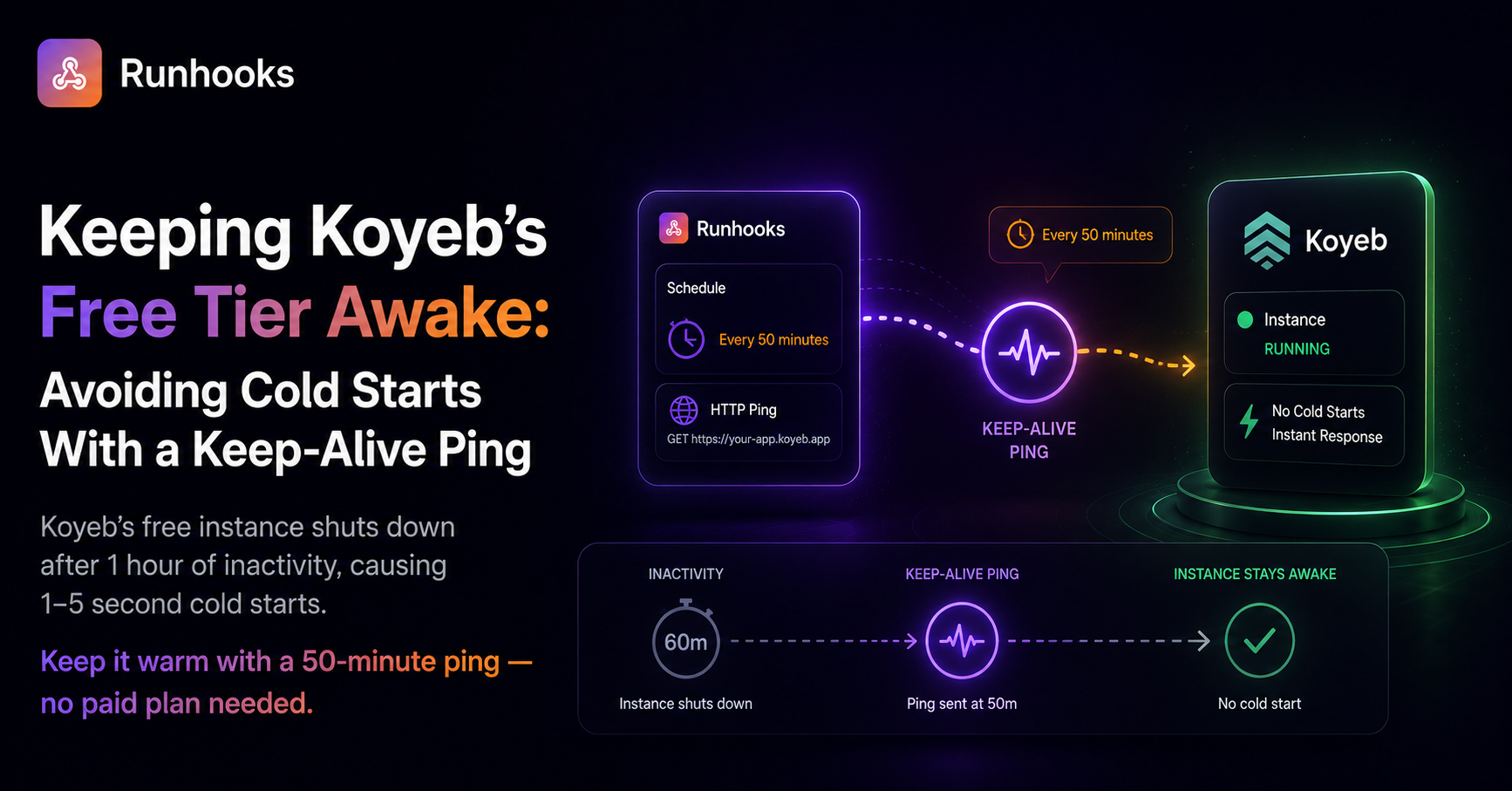
TL;DR. Koyeb's free instance scales to zero after 1 hour idle, causing 1–5 second cold starts on the next request. Schedule an HTTP ping to a lightweight
/healthendpoint every 50 minutes to keep the app warm — no paid upgrade needed.
You deploy a side project to Koyeb's free tier — an API, a bot, a webhook receiver. It works. You share the URL with someone an hour later, and they get a multi-second delay on the first request. Not a timeout, not an error — just a slow, awkward pause before the app wakes up and starts responding normally.
That delay is a cold start. Koyeb's free instance scales to zero after 1 hour of inactivity, and spinning a container back up takes 1 to 5 seconds depending on your application's startup time.
How Koyeb's Scale-to-Zero Works
Koyeb uses scale-to-zero to manage resources across free-tier workloads. When your service meets all three conditions simultaneously, Koyeb shuts it down:
- No incoming traffic — no HTTP requests for 1 hour
- No persistent connections — no active WebSocket or HTTP/2 streams
- No active deployments — no build or deploy in progress
Once scaled to zero, the next incoming request triggers a full cold start. Koyeb provisions a new container, loads your image, starts your process, and waits for it to become healthy before routing the request. This takes 1–5 seconds in what Koyeb calls Deep Sleep mode.
On the free tier, this behavior cannot be disabled and the 1-hour idle period cannot be customized. Paid instances offer more control — a configurable idle period (default 5 minutes) and the option to disable scale-to-zero entirely.
What the Free Tier Gives You
Koyeb's free instance is genuinely useful for small projects:
- 1 vCPU, 512 MB memory, 2 GB disk — enough for most APIs and lightweight services
- No credit card required — truly free, not a trial
- Available in Frankfurt and Washington DC — two regions for low-latency coverage
- HTTPS and custom domains — production-ready networking
The only meaningful limitation for most developers is the scale-to-zero behavior. Everything else works the same as paid instances.
The Fix: A Keep-Alive Ping
Since Koyeb scales to zero based on incoming traffic, the fix is simple: send a request before the 1-hour window expires.
Add a lightweight health endpoint to your application:
app.get('/health', (req, res) => {
  res.status(200).json({ status: 'ok' });
});
Then schedule an HTTP GET to that endpoint every 50 minutes. The 50-minute interval leaves a 10-minute buffer — enough margin to absorb network delays or scheduling jitter without risking a shutdown.
At 50-minute intervals, the keep-alive costs roughly 864 requests per month — well within the limits of any external scheduler.
Why a DIY Cron Job Isn't Reliable
You could point a cron job on your own machine at your Koyeb health endpoint. But this trades one problem for several:
- Requires an always-on machine. A local cron job stops when your laptop sleeps. A VPS-based cron job means paying for a server to keep your free server alive.
- No failure visibility. If the ping fails — your app crashed, Koyeb had a blip, your endpoint changed — cron doesn't tell you. Your app silently starts cold-starting again and you don't know.
- No retries. A single network timeout wastes the ping. The next attempt is 50 minutes later, and if that fails too, you've blown past the 1-hour window.
- No distinction between sleep and downtime. A cron ping tells you nothing about whether your app is genuinely healthy. If it starts returning
500errors, cron still considers the job done.
Scheduling With Runhooks
Runhooks sends the keep-alive ping on a schedule with retries, logging, and alerting — turning a simple ping into both a keep-alive and an uptime monitor.
- Create a job — "Koyeb keep-alive"
- Set the URL —
https://your-app-your-org.koyeb.app/health - Set the schedule —
*/50 * * * *(every 50 minutes) - Enable retries — 3 attempts with exponential backoff
What this gives you:
- Execution logs — every ping is recorded with HTTP status, response body, and duration. You can see that your app consistently responds in 12ms, or spot a trend of increasing latency.
- Automatic retries — if a transient network issue causes the first ping to fail, the retry fires within seconds. Your 10-minute buffer stays intact.
- Failure alerts — if your app is genuinely down (crashed process, failed deployment, Koyeb outage), you get an email or webhook notification immediately. A cron ping can't distinguish between "app is sleeping" and "app is broken."
- Keep-alive and monitoring in one job — the ping keeps Koyeb from scaling down, and the alerts tell you when something is actually wrong.
At ~864 requests per month, the keep-alive fits comfortably within Runhooks' free tier of 2,000 executions — leaving room for additional scheduled jobs like data syncs, cleanup tasks, or report generation.
Get Started
Koyeb's free tier is a solid option for side projects and small services — the cold start is the only real friction, and it's straightforward to fix:
- Add a
/healthendpoint to your app - Try Runhooks and schedule a
GETevery 50 minutes - Your app stays warm, and you get alerted if it actually goes down
Test your cron schedule with the cron expression visualizer, and compare plans when you need more jobs or longer log retention.
Frequently Asked Questions
Why does my Koyeb free app take seconds to respond?
Koyeb's free instance scales to zero after 1 hour without incoming traffic. When the next request arrives, Koyeb has to spin up a new container from scratch — a process called a cold start that takes 1 to 5 seconds depending on your application. This delay only affects the first request after the idle period; subsequent requests respond at normal speed.
How do I prevent cold starts on Koyeb's free tier?
Send an HTTP request to your app at least once every hour so Koyeb never scales it to zero. A lightweight /health endpoint that returns a 200 status is enough. Schedule a ping every 50 minutes using an external scheduler like Runhooks — the 10-minute buffer ensures you never hit the 1-hour timeout even if a request is slightly delayed.
Can I disable scale-to-zero on Koyeb's free instance?
No. Scale-to-zero on Koyeb's free instance cannot be disabled, and the 1-hour idle period cannot be customized. These restrictions are specific to the free tier — paid instances default to a 5-minute idle period that can be adjusted or disabled entirely.
How many keep-alive requests does Koyeb free tier need per month?
A 50-minute ping interval means about 29 requests per day, or roughly 864 per month. This is well within the limits of most external scheduling services, including Runhooks' free plan which includes 2,000 executions per month — leaving room for additional scheduled jobs beyond just the keep-alive.
Read next: Eliminating Render Free Tier Cold Starts · Preventing Heroku Dyno Sleep · Preventing Fly.io Machines From Stopping · Ping a Railway App Every 10 Minutes