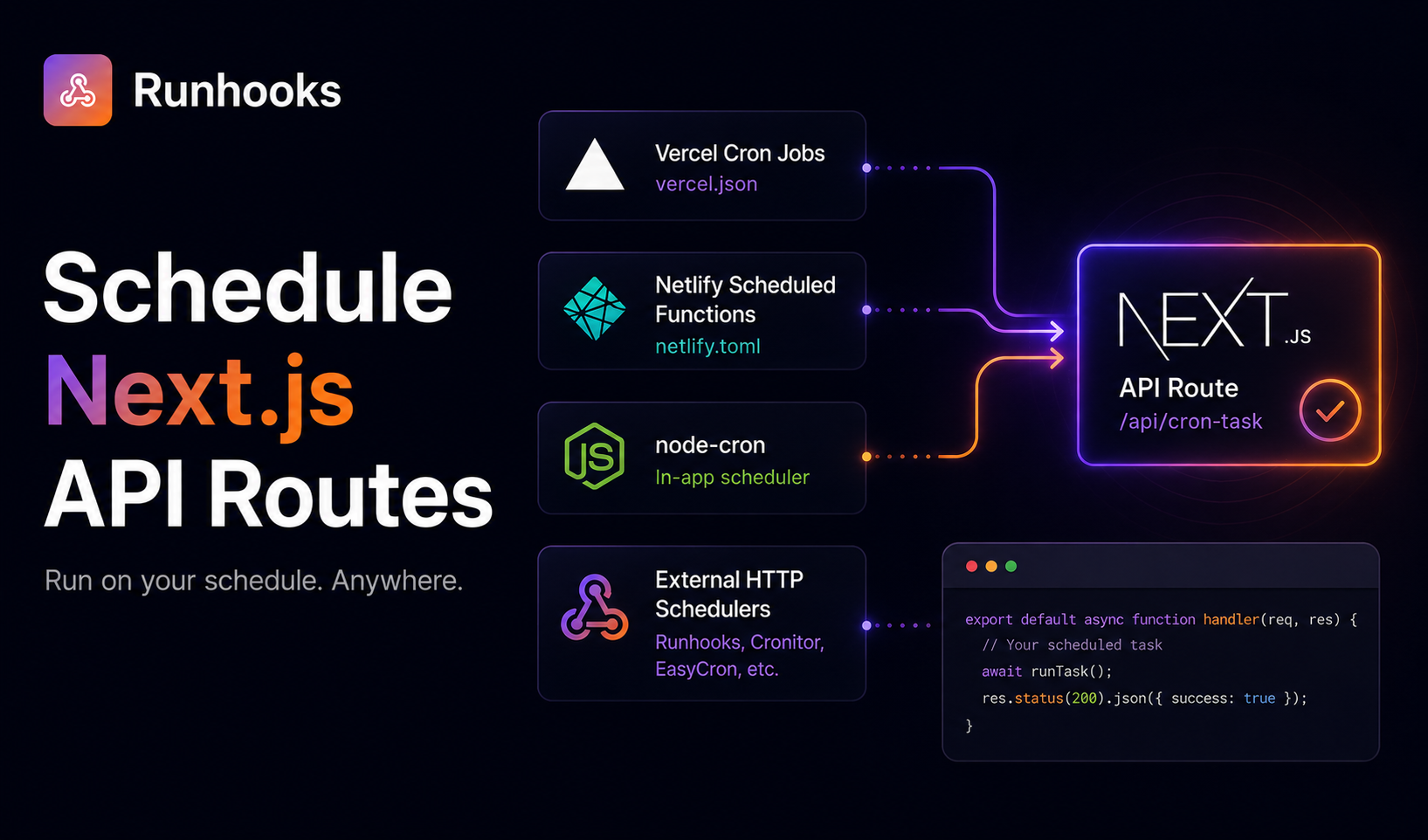
A note from the founder. Need to run your Next.js API routes on a schedule? I'm looking for a small group of early users to try Runhooks and share honest feedback. Early adopters get upgraded plans for free.
You build a Next.js app with an API route that syncs data from Stripe, cleans up expired sessions, or sends a daily digest email. The route works when you call it manually. Now you need it to run automatically every hour.
Next.js doesn't have a built-in scheduler. Your API routes are serverless functions — they only execute when an HTTP request comes in. Without something to trigger that request on a schedule, your route just sits there.
The question is: what does the triggering?
The Problem With Serverless Scheduling
In a traditional Node.js server, you'd use setInterval or a library like node-cron to run code on a schedule. The server process is always running, so timer-based scheduling works.
Next.js API routes on platforms like Vercel, Netlify, or AWS Lambda don't work that way. Each route is a serverless function — it spins up when a request arrives, executes, and shuts down. There's no persistent process to hold a timer. Between requests, your code doesn't exist.
This means scheduling must come from outside the function. Something needs to send an HTTP request to your route URL at the right time. The options differ in cost, complexity, and portability.
Option 1: Vercel's Built-In Cron
Vercel supports cron jobs through a crons configuration in vercel.json:
{
  "crons": [
    {
      "path": "/api/sync",
      "schedule": "0 * * * *"
    }
  ]
}
This tells Vercel to call /api/sync every hour. It's clean and requires no external dependencies.
The catch is pricing:
- Hobby plan (free) — cron expressions can only resolve to once per day or less. Setting
0 * * * *(every hour) fails during deployment. - Pro plan ($20/month per seat) — any cron expression is allowed.
If you're on the Hobby plan and need anything more frequent than daily, Vercel's cron won't work. And even on Pro, Vercel's cron doesn't include execution logs, retries on application errors, or failure alerts — it fires the request and moves on.
Option 2: Netlify Scheduled Functions
If you're deploying to Netlify, you can use Netlify Scheduled Functions with the @netlify/functions package:
// netlify/functions/scheduled-sync.ts
import { schedule } from '@netlify/functions';

export const handler = schedule('0 * * * *', async (event) => {
  // your sync logic here
  const result = await syncData();

  return {
    statusCode: 200,
    body: JSON.stringify({ synced: result.count }),
  };
});
This runs every hour on Netlify's infrastructure. It works well within the Netlify ecosystem, but it's a Netlify-specific API. Your scheduling logic is coupled to the platform:
- The function uses Netlify's
schedulewrapper, not a standard Next.js route handler - It deploys to
netlify/functions/, notapp/api/ - If you migrate to Vercel, Railway, or AWS, this code doesn't come with you
You're also limited by Netlify's function execution time (10 seconds on free, 26 seconds on Pro) and invocation quotas.
Option 3: Self-Hosting With node-cron
If you're running Next.js on a VPS, a Docker container, or a long-running Node.js server, you can use node-cron in a custom server:
// server.ts
import cron from 'node-cron';

cron.schedule('0 * * * *', async () => {
  await fetch('http://localhost:3000/api/sync', {
    headers: { Authorization: `Bearer ${process.env.CRON_SECRET}` },
  });
});
This works, but it requires a persistent server process. The moment the server restarts, the cron schedule is lost until the process starts again. If you're self-hosting Next.js specifically for scheduling, you've traded the simplicity of serverless for the maintenance of a server — managing uptime, restarts, memory, and deployment yourself.
For teams already running Next.js in a Docker container on Railway or Render, this is an option. For teams on Vercel or Netlify, it defeats the purpose of serverless.
Option 4: External HTTP Scheduler
Your Next.js API routes are standard HTTP endpoints. They accept GET or POST requests from any source — a browser, Postman, a curl command, or an automated scheduler. The route doesn't know or care what triggered it.
An external HTTP scheduler calls your route URL on a cron schedule. This approach is platform-agnostic:
- Hosting on Vercel? The scheduler calls
https://your-app.vercel.app/api/sync - Switched to Railway? Update the URL to
https://your-app.up.railway.app/api/sync - Moved to a VPS?
https://your-domain.com/api/sync
Your Next.js code stays identical. No vercel.json cron config, no Netlify schedule wrapper, no node-cron custom server. The scheduling is external to your application, so it survives hosting migrations.
Step-by-Step: Scheduling With Runhooks
Here's a complete setup — from API route to scheduled execution.
1. Create the API Route
Using the Next.js App Router (route.ts pattern):
// app/api/sync/route.ts
import { NextResponse } from 'next/server';

export async function GET(request: Request) {
  // Verify the request is from your scheduler
  const authHeader = request.headers.get('authorization');
  if (authHeader !== `Bearer ${process.env.CRON_SECRET}`) {
    return NextResponse.json({ error: 'Unauthorized' }, { status: 401 });
  }

  // Your scheduled task logic
  const startTime = Date.now();

  try {
    // Example: sync data from an external API
    const response = await fetch('https://api.example.com/data');
    const data = await response.json();

    // Process and store the data
    const processed = await processAndStore(data);

    return NextResponse.json({
      status: 'ok',
      processed: processed.count,
      duration: Date.now() - startTime,
    });
  } catch (error) {
    return NextResponse.json(
      { error: 'Sync failed', message: (error as Error).message },
      { status: 500 }
    );
  }
}
Two things to note in this route:
- Authorization check — the first thing the route does is verify a secret header. Without this, anyone who knows the URL can trigger your sync.
- Structured response — returning a JSON body with status, count, and duration gives your scheduler useful data to log. When you check execution history later, you'll see exactly what happened.
2. Set the Environment Variable
Add CRON_SECRET to your hosting platform's environment variables. A random string works:
# Generate a secure random secret
openssl rand -hex 32
Set this value in Vercel (Settings > Environment Variables), Netlify (Site configuration > Environment variables), Railway (Variables tab), or wherever you deploy.
3. Create the Scheduled Job in Runhooks
- Create a job — name it "Hourly data sync"
- Set the URL —
https://your-app.vercel.app/api/sync(or your hosting URL) - Set the method —
GET - Add a header —
Authorization: Bearer <your-cron-secret> - Set the schedule —
0 * * * *(every hour),*/15 * * * *(every 15 minutes), or any cron expression - Enable retries — 3 attempts with exponential backoff
That's it. No vercel.json, no platform-specific code, no custom server.
What You Get
- Execution logs — every invocation is recorded with HTTP status, response body (including your
{ processed: 47 }data), and duration in milliseconds - Automatic retries — if a cold start causes a timeout or a transient error hits, the retry fires within seconds instead of waiting for the next scheduled tick
- Failure alerts — email or webhook notifications when your route returns consistent errors
- Timezone-aware scheduling — set the job to run at 9 AM in
America/New_Yorkand it stays at 9 AM through DST transitions - Schedule visualization — preview exactly when your job will fire with the cron expression visualizer
Why Platform-Agnostic Scheduling Matters
Hosting platforms change. Teams migrate from Vercel to Railway for cost reasons. A side project on Netlify grows into a production app on AWS. A startup starts on Render and moves to Kubernetes.
If your scheduling is baked into vercel.json, it breaks the moment you leave Vercel. If it's in a Netlify schedule wrapper, it breaks when you leave Netlify. If it's in a custom server with node-cron, it breaks when you go serverless.
An external scheduler survives all of these migrations. You update one URL — the rest stays the same. Your cron expression, retry policy, alerting rules, and execution history carry over.
For teams running multiple Next.js apps across different providers, this is especially valuable. One dashboard shows all your scheduled jobs regardless of where each app is hosted.
Comparison Table
| Approach | Free tier | Any frequency | Retries | Logs | Platform-agnostic |
|---|---|---|---|---|---|
| Vercel cron (Hobby) | ✅ Yes | ⚠️ Daily only | ❌ No | ❌ No | ❌ No |
| Vercel cron (Pro) | ❌ $20/mo/seat | ✅ Yes | ❌ No | ❌ No | ❌ No |
| Netlify Scheduled Functions | ✅ Yes | ✅ Yes | ❌ No | ⚠️ Basic | ❌ No |
| node-cron (self-hosted) | ⚠️ Depends | ✅ Yes | ⚠️ Manual | ⚠️ Manual | ⚠️ Partial |
| External HTTP scheduler | ✅ Yes | ✅ Yes | ✅ Yes | ✅ Yes | ✅ Yes |
Get Started
Next.js API routes are HTTP endpoints — they don't care what sends the request. Take advantage of that:
- Keep your routes as standard
GETorPOSThandlers with an auth check - Try Runhooks and schedule them at any frequency on any hosting platform
- Get retries, execution logs, and failure alerts that no platform-specific scheduler includes
Test your cron expressions with the cron expression visualizer, and compare plans when you need more jobs or longer log retention.
Frequently Asked Questions
Can I run Next.js API routes on a cron schedule?
Yes, but Next.js doesn't include a built-in scheduler. API routes are serverless functions that only execute when they receive an HTTP request. To run them on a schedule, you need either a platform-specific feature (like Vercel's cron config or Netlify Scheduled Functions) or an external HTTP scheduler that sends requests to your route URL at the desired interval.
Do I need Vercel Pro to schedule Next.js API routes?
No. Vercel's built-in cron is limited to once-per-day on the Hobby plan, but your API routes are standard HTTP endpoints. Any external scheduler can call them at any frequency — every 5 minutes, hourly, or on any cron expression — without a Vercel Pro subscription. Your Next.js code stays the same regardless of how the route is triggered.
What happens to my cron jobs if I switch hosting providers?
If you use a platform-specific scheduler like Vercel's cron config or Netlify Scheduled Functions, your scheduling breaks when you migrate. An external HTTP scheduler is platform-agnostic — it calls a URL on a schedule. Update the URL to point at your new host and the schedule keeps running with no code changes.
How do I secure a Next.js API route that runs on a schedule?
Add an authorization check at the top of your route handler. Store a secret in an environment variable (e.g., CRON_SECRET), then verify that incoming requests include a matching Authorization header. Configure the same secret in your scheduler's request headers. This ensures only your scheduled jobs can trigger the route.
Read next: Bypassing the Vercel Hobby Plan Cron Limit · What Is a Cron Job? · Best Cron Job Services Compared · Schedule Cloudflare Workers Beyond Cron Triggers